Write Scalable Code – use Jenkins to Automate your Load Testing

Starting today, we’re  accepting applications for early access to our new Load Impact Continuous Delivery service, which for the first time allows developers of websites, apps and APIs to make stress testing an integrated part of their continuous delivery process.

Our Continuous Delivery service comprises our API, SDKs and a library of plug-ins and integrations for popular continuous delivery systems – starting with Jenkins.

Easy to USe and Flexible Graph png

In order to better serve our customers and allow them to integrate their Continuous Delivery methodology with the Load Impact platform, we’re building programming libraries that make the API super easy to use. We’re starting with Jenkins and will soon rollout plug-ins for TeamCity, New Relic and CloudBees.

Simply put, the Jenkins plug-in will integrate load testing into developers’ automated Jenkins test suite to determine whether new builds meet specified traffic performance criteria.

(Download the plug-in)

The new Jenkins plug-in features multi-source load testing from up to 12 geographically distributed locations worldwide, advanced scripting, a GUI based session recorder to easily create tests simulating multiple typical user scenarios, and our new Server Metrics Agent (SMA) for correlating the Server Side impact of users on CPU, memory, disk space and network usage.

Read more about how to automate your load testing here and here.

Apply now to join our private beta group and receive FREE unlimited load testing for the duration of the beta period!

Code sample for automated load testing

In the previous post about automated load testing, we didn’t have the room to include a proper sample. So that’s what this post is going to be about. The complete code sample can be found here https://github.com/loadimpact/loadimpactapi-samples

A few comments if you want to try it out:

At the beginning, we net to set token and test id. If you haven’t already done so, you can generate an API token on your accounts page https://loadimpact.com/account/. Please note that the API token is not the same as the server metrics token. The next thing is to find the test configuration id that you want to run.

test_config_buttonAssuming that you already have an account and at least one test configuration created, you just go to your test configuration list and click on the test you’re interested in running. The URL will say https://loadimpact.com/test/config/edit/NNNNN where NNNNN is your test id. At the top of the test script, you find the two variables that you need to update. $token and $test_config_id.


$token = 'aaaaaaaaaaaaaaaaaaaaaaaaaaaaaaaaaaaaaaaaaaaaa';
$test_config_id = 1234567;
$verbose = TRUE;

Then, the interesting part of the script is quite straightforward:

$resp = loadimpactapi("test-configs/$test_config_id/start", 'POST');
if(isset($resp->id)) {
 $test_id = $resp->id; // The Id of the running test.
 $running = TRUE;
 $status = loadimpactapi("tests/$test_id", 'GET');
while($running) {
 if($verbose) echo "Test $test_id is {$status->status_text} \n";
 if($status->status > 2) { 
 $running = FALSE; 
 break;
 }
 sleep(15);
 $status = loadimpactapi("tests/$test_id", 'GET');
 }
// At this point, a status code != 3 would indicate a failure
 if($status->status == 3) {
 $jsonresult = loadimpactapi("tests/$test_id/results", 'GET');
 $timestamps = resulttoarray($jsonresult);
 echo responsetimeatmaxclients($timestamps) ."\n";
 }
} else {
 echo "Test $test_config_id failed to start \n";
}

Start the test, wait for it to finish and do something with the results. It’s really only the last part, ‘do something’ that’s deserves commenting on.

The LoadImpact API will return it’s data as two time series by default (you can ask for other time series as well). Basically, each of these two are a series of observations made during the test at given time intervals. The first series is the number of active clients seen at any given time. The other series represents the average response time from the test target. The two time series are synchronized via the timestamps (UNIX epoch). The code on github includes a function that massages these two time series into a single array of timestamps. At each timestamp, we can see number of active clients as well as the response time. So in the sample, I first run resulttoarray($jsonresult); so that I get an array that is easier to work with. Then I call responsetimeatmaxclients($timestamps) to find the response time found at the highest load during the test.

At the and, the return value is simply echoed to StdOut. Running the script, I’d get something like:


erik@erik-laptop$ php test.php
Test 1234567 is Created
Test 1234567 is Initializing
Test 1234567 is Running
Test 1234567 is Finished
3747.78

Since I’ve left $verbose=TRUE, I’ll get some status messages in the output. In a real scenario where the output is likely to be handled by a script, set $verbose=FALSE so that you just get the actual measurement back to StdOut.

Questions? Ideas? Opinions? Leave a comment below, we love to hear from you.

Automating Load Testing to Improve Web Application Performance

This blog post was originally written for the Rackspace DevOps blog. Check out this post and more great dev advice on their blog.

…….

Web application performance is a moving target. During design and implementation, a lot of big and small decisions are made that affect application performance – for good and bad. You’ve heard it before. But since performance can be ruined many times throughout a project, good application performance simply can not be added as an extra feature at the end of a project.

The modern solution to mitigate quality problems throughout the application development life cycle is called Continuous Integration, or just CI. The benefits of using CI are many, but for me, the most important factor for embracing CI is the ability to run automated tests frequently and to trace application performance, since such tests need to be added to the stack of automated tests already being generated. If you have load tests carried out throughout your project development, you can proactively trace how performance is affected.

The key is being able to automate load testing. But how do we do that? Naturally, it depends on your environment. Assuming that you’re building a web application and that your build environment is already in the cloud, it would be ideal to start using a cloud based load testing service such as Load Impact to automatically generate load and measure performance. In fact, libcurl will get you almost all the way.

Load Impact’s Continuous Delivery API was created to enable developers to run load tests programmatically. It’s an http based REST API that uses JSON for passing parameters. In its most basic form, you can run the following from a command line:

$ curl -X POST https://api.loadimpact.com/v2/test-configs/X/start -u token: {"id":Y}
$ curl -X GET https://api.loadimpact.com/v2/tests/Y/results -u token: > out.json

In this example X = the LoadImpact test config id, Y = the test result id and token = your LoadImpact API token. Please note that token is sent as an http username but with a blank password.

Since JSON is not that easy to work with from the command line, using PHP or Perl to wrap the calls in a script makes sense. A more complete sample doesn’t really fit into this blog post, but at a pseudo level you want to:

<?php

$token = '123456789';
$urlbase = 'https://api.loadimpact.com/v2/';
$config_id = 999;

// Start test and get id from JSON return
$test = http_post($urlbase . "/test-configs/$config_id/start"));

$done = FALSE;
while(!$done) {
  sleep(30);
  $status = http_get($urlbase . "/tests/{$test->id}");
  $if($status->status > 2) $done = TRUE;
}

$result = http_get($urlbase . "/tests{$test-id}/results");
$last = count($results->__li_user_load_time); 
echo $results->__li_user_load_time[$last]->value; ?>

First, some variables are set, the existing test configuration id and my API token being the most interesting.

Second, I ask Load Impact to launch the test configuration and store the test id. Wait for the test to finish by asking for its status code every 30 seconds.

Lastly, when I know the test if finished, I ask for the test result that I can then query for values. In this example, I simply echo the last measurement of the actual load time. If needed, the Load Impact API also allows me to manipulate the target URL before I launched the test, change the number of simulated users or make other relevant changes.

Running repeated load test as part of your CI solution will reveal a lot about how an application’s performance is affected by all those small decisions.

Note that you probably don’t want to run a full set of exhaustive performance tests at every build. I recommend that a few well-selected tests are executed. The key is to get a series of measurements that can be tracked over time.

Announcing the Load Impact API beta

We are pleased to announce the Load Impact API beta!

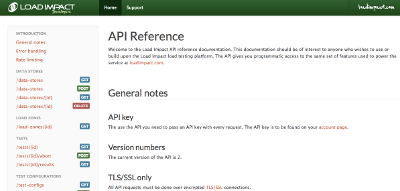
the developer.loadimpact.com API documentation site

For people who do not know what an API is, or what it is good for, our API allows you to do basically everything you can do when logged in at loadimpact.com, like configure a load test, run a load test, download results data from a load test. But the API can be used by another program, communicating with Load Impact over the Internet. This means that a developer can write an application that will be able to use our API functionality to configure and run load tests on the Load Impact infrastructure – and this can happen completely without human involvement, if the developer chooses it.

The API is very useful for companies with a mature development process, where they e.g. do nightly builds – and run automated tests – on their software. The API allows them to include load tests in their automated test suites, and in that way monitor the performance and scalability of their application while it is being developed. This is useful in order to get an early indication that some piece of newly produced code doesn’t perform well under load/stress. The earlier such problems are detected, the less risk of developers wasting time working on code tracks that don’t meet the performance criteria set up for the application.

The API can also be used by other online services or applications, that want to include load testing functionality as part of the service/product, but where it is preferable to avoid building from scratch a complete load testing solution like Load Impact. They can use our API to integrate load testing functionality as part of their own product, with Load Impact providing that functionality for them.

We have created a whole new documentation section for the API at http://developer.loadimpact.com where you can find the API reference and some code examples. We will be delighted to hear from you if you are using the API, so don’t hesitate to get in touch with us! Feedback or questions are very welcome!


About Load Impact

Load Impact is the leading cloud-based load testing software trusted by over 123,000 website, mobile app and API developers worldwide.

Companies like JWT, NASDAQ, The European Space Agency and ServiceNow have used Load Impact to detect, predict, and analyze performance problems.
 
Load Impact requires no download or installation, is completely free to try, and users can start a test with just one click.
 
Test your website, app or API at loadimpact.com

Enter your email address to follow this blog and receive notifications of new posts by email.