Load Testing Validates Performance Benefits of CDN – 400% Improvement (CASE STUDY)

Ushahidi used Load Impact to greatly improve the performance of its software. Through comparing “before” and “after” test results it was possible to see the performance impact of optimization efforts – like the use of a CDN. 

Ushahidi is a non-profit tech company that specializes in developing free and open source software for information collection, visualization and interactive mapping. Such software is deployed during disasters so that real time information can be shared across the web. Like WordPress, the software can be self hosted or hosted on the company’s server.

Case:

Ushahidi software is generally used for crisis and disaster situations so optimization is absolutely crucial. An earthquake reporting site based on Ushahidi software (http://www.sinsai.info/) received a spike in traffic after the earthquake and tsunami in Japan and it went down several times, causing service outage at the time the service was needed the most.

Ushahidi were interested in using a load testing tool to test the performance of their software before and after optimization efforts, to determine what effect the optimizatons had had.

Test setup:

There were four load tests run on two different versions of the Ushahidi software. The software was hosted on Ushahidi’s servers. The first two test runs used ramp-up configurations up to 500 concurrent users on the test sites to test performance differences between Ushahidi 2.0.1 and Ushahidi 2.1. The results were revealing, showing performance graphs that were practically identical. There hadn’t been any change in performance from 2.0.1 to 2.1.

From these tests, it was also found out that the theoretical total number of concurrent users for Ushahidi on a typical webserver is about 330 clients but may be lower, depending on configuration. Load times at the 330-client level were very high, however, and defining the largest acceptable page load time to be 10 seconds meant that a more realistic figure would be 100 concurrent users on the typical webserver.

Finally, Ushahidi wanted to measure the potential performance gain when using a CDN (content delivery network). The Ushahidi 2.1 software was modified so that static resources were loaded from Rackspace’s CDN service instead of the Ushahidi server, then the previous load test was executed again.

The result was a major increase in the number of concurrent users the system could handle. Where previous tests had shown a significant slowdown after 60-100 concurrent users, and an absolute max limit of about 330 concurrent users, the CDN-enabled site could handle more than 300 concurrent users before even starting to slow down. To find out the extreme limit of the site with CDN enabled, a final test was run with even higher load levels, and it was found that the server now managed to serve content at load levels up to 1,500 concurrent users, although with the same high load times as in the 330-client case with no CDN.

Service environment:

  • Apache
  • PHP
  • MySQL
  • Linux (CentOS 5.0)

Challenges:

  • Find load limits for 2 different software versions
  • Find load limits with/without CDN enabled for static files
  • Detect potential problems in the infrastructure or web app before they affect customers

Solution:

  • Run ramp-up tests with identical configurations on the 2.01 and the 2.1 software. See which one performs better or worse
  • Run ramp-up tests with identical configurations on the 2.1 software with CDN enabled, and without CDNenabled. See which performs better or worse.
  • Run final, large-volume ramp-up test for the CDN-enabled software, to find out its theoretical maximum concurrent user limit.

Results:

  • Ushahidi found out that there was a significant performance gain when using CDN to serve their static files.
  • Load test measured that performance increased by 300% – 400% when using the CDN
  • Load times started to increase only after 334 concurrent users when using the CDN, and the server timed out at around 1500 concurrent users.
  • Faster time to verify CDN deployment. Test also quantified % increase in performance which leads to justification for additional cost of CDN service.
  • Test showed no changes in load time between version 2.01 and 2.10.

Uncover Hidden Performance Issues Through Continuous Testing

On-premise test tools, APMs, CEMs and server/network based monitoring solutions may not be giving you a holistic picture of your system’s performance; cloud-based continuous testing can.  

When it comes to application performance a wide array of potential causes of performance issues and end user dissatisfaction exist.  It is helpful to view the entire environment, from end user browser or mobile device all the way through to the web and application servers, as the complex system that it is.

system

Everything between the user’s browser or mobile and your code can affect performance

The state of the art in application performance monitoring has evolved to include on-premise test tools, Application Performance Management (APM) solutions, customer experience monitoring (CEM) solutions, server and network based monitoring. All of these technologies seek to determine root causes of performance problems, real or perceived by end users. Each of these technologies has it’s own merits and costs and seek to tackle the problem from different angles. Often a multifaceted approach is required when high value, mission critical applications are being developed and deployed.

On-premise solutions can blast the environment with 10+Gbit/sec of traffic in order to stress routers, switches and servers. These solutions can be quite complex and costly, and are typically used to validate new technology before it can be deployed in the enterprise.

APM solutions can be very effective in determining if network issues are causing performance problems or if the root cause is elsewhere. They will typically take packet data from a switch SPAN port or TAP (test access point), or possibly a tap-aggregation solution. APM solutions are typically “always-on” and can be an early warning system detecting applications problems before the help desk knows about an issue.  These systems can also be very complex and will require training & professional services to get the maximum value.

What all of these solutions lack is a holistic view of the system which has to take into account edge devices (Firewalls, Anti-Malware, IPS, etc), network connectivity and even endpoint challenges such as packet loss and latency of mobile connections. Cloud-based testing platforms such as Load Impact allow both developers and application owners to implement a continuous testing methodology that can shed light on issues that can impact application performance that might be missed by other solutions.

A simply way to accomplish this is to perform a long-term (1 to 24+ hr) application response test to look for anomalies that can crop up at certain times of day.  In this example I compressed the timescale and introduced my own anomalies to illustrate the effects of common infrastructure changes.

The test environment is built on an esxi platform and includes a 10gbit virtual network, 1gbit physical LAN, Untangle NG Firewall and a 50/5 mbit/sec internet link.  For the purposes of this test the production configuration of the Untangle NG Firewall was left intact – including Firewall rules, IPS protections however QoS was disabled.  Turnkey Linux was used for the Ubuntu-based Apache webserver with 8 CPU cores and 2 gigs of ram.

It was surprising to me what did impact response times and what had no effect whatsoever.  Here are a few examples:

First up is the impact of bandwidth consumption on the link serving the webserver farm.  This was accomplished by saturating the download link with traffic, and as expected it had a dramatic impact on application response time:

Impact of download activity on application response times

At approx 14:13 link saturation occurred (50Mbit) and application response times nearly tripled as a result

bandwidth

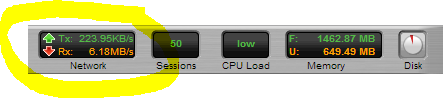
Snapshot of the Untangle Firewall throughput during link saturation testing

Next up is executing a Vmware snapshot of the webserver.  I fully expected this to impact response times significantly, but the impact is brief.  If this was a larger VM then the impact could have been longer in duration:

impact-of-snapshot-on-apache-VM

This almost 4x spike in response time only lasts a few seconds and is the result of a VM snapshot

Lastly was a test to simulate network congestion on the LAN segment where the webserver is running.  

This test was accomplished using Iperf to generate 6+ Gbit/sec of network traffic to the webserver VM.  While I fully expected this to impact server response times, the fact that it did not is a testament to how good the 10gig vmxnet3 network driver is:

iperf

Using Iperf to generate a link-saturating 15+Gbit/sec of traffic to Apache (Ubuntu on VM)


simulate network congestion using iperf 2

In this test approx 5.5Gbit/sec was generated to the webserver,no impact whatsoever in response times

Taking a continuous monitoring approach for application performance has benefits to not only application developers and owners, but those responsible for network, security and server infrastructure.  The ability to pinpoint the moment when performance degrades and correlate that with server resources (using the Load Impact Server Metrics Agent) and other external events is very powerful.  

Often times application owners do not have control or visibility into the entire infrastructure and having concrete “when and where” evidence makes having conversations with other teams in the organization more productive.

———-

Peter CannellThis post was written by Peter Cannell. Peter has been a sales and engineering professional in the IT industry for over 15 years. His experience spans multiple disciplines including Networking, Security, Virtualization and Applications. He enjoys writing about technology and offering a practical perspective to new technologies and how they can be deployed. Follow Peter on his blog or connect with him on Linkedin.

About Load Impact

Load Impact is the leading cloud-based load testing software trusted by over 123,000 website, mobile app and API developers worldwide.

Companies like JWT, NASDAQ, The European Space Agency and ServiceNow have used Load Impact to detect, predict, and analyze performance problems.
 
Load Impact requires no download or installation, is completely free to try, and users can start a test with just one click.
 
Test your website, app or API at loadimpact.com

Enter your email address to follow this blog and receive notifications of new posts by email.